Wallbox Pulsar Plus EV Charger Review: Worth It? (October 2026)
The Wallbox Pulsar Plus suits drivers who want compact home charging with app scheduling. Choose the 40A plug-in model for a suitable existing outlet, or the 48A hardwired version when your car, circuit and daily driving justify the extra capacity.
On this page (10 sections)
- Wallbox Pulsar Plus review: who should consider it?
- What changes between the 40A and 48A Pulsar Plus?
- How much charging capacity do you actually need?
- How useful are the Pulsar Plus app and energy features?
- Is the Wallbox Pulsar Plus suitable for outdoor use?
- Will these J1772 models fit your vehicle?
- When should you choose EVIQO or ChargePoint instead?
- How should you plan installation and first use?
- What care and use habits matter most?
- Which Wallbox Pulsar Plus should you choose?
The Wallbox Pulsar Plus is a good choice for compact home charging with app scheduling, especially when you match the model to your existing electrical setup. Choose between its plug-in and hardwired versions based on your car's charging limit, daily driving and available circuit.
The biggest buying mistake is paying for more output than you can use. Start with how much energy you need to replace overnight, then decide which installation makes sense.
Wallbox Pulsar Plus review: who should consider it?
The Pulsar Plus suits drivers who want scheduled charging in a small wall-mounted unit. Its strongest fit is a regular parking space where you can leave the charger installed and connect the car after each trip.
Both Wallbox versions measure 3.9 in deep, 7.8 in wide and 7.9 in high. That compact housing helps on a crowded garage wall, though you still need room to store and handle the cable.
Wallbox Pulsar Plus 40A: choose it for a suitable existing outlet
Wallbox Pulsar Plus 40A Charger: Best for existing outlet owners

- 40A
- J1772 connector
- NEMA 14-50 plug-in
- Wi-Fi and Bluetooth
Choose this version when you already have a suitable charging outlet and want scheduled overnight charging without a hardwired connection.
Pros
- Uses a suitable existing NEMA 14-50 outlet
- App supports monitoring, control and scheduling
- Wallbox supports indoor and outdoor installation
Cons
- Existing outlet and circuit need to suit sustained charging
- Tesla adapter is not included
- Lower maximum output than the hardwired version
Choose this model when an electrician confirms that your existing outlet and circuit suit continuous EV charging. Reusing sound electrical work can make more sense than changing the installation just to gain extra output.
It also suits drivers with long overnight charging windows. If the car will sit for most of the night, replacing the day's driving matters more than reaching the charger's maximum speed.
Skip it if the outlet is worn, poorly positioned or on an unsuitable circuit. A plug that fits does not prove the wiring behind it is ready for a sustained charging load.
Wallbox Pulsar Plus 48A: choose it for a permanent installation
Wallbox Pulsar Plus 48A Charger: Best for busy driving schedules

- 48A
- J1772 connector
- Hardwired installation
- Wi-Fi and Bluetooth
The higher-output Pulsar Plus suits drivers with shorter charging windows, provided their vehicle can accept the extra power and their home can support it.
Pros
- Higher maximum output than the plug-in version
- App monitoring and charging schedules
- Compact housing for a permanent wall installation
Cons
- Requires professional hardwiring
- Extra output may not benefit cars with lower AC charging limits
- Tesla adapter is not included
Choose the hardwired version when you're planning a permanent charging spot and can use the higher output. Drivers who arrive home late and leave early have more reason to value that extra capacity.
Skip the upgrade if your vehicle's onboard AC charger is the limiting factor. A more powerful wall charger cannot make the car accept electricity faster than its own limit.
Our home EV charger guide explains how to match a charger to your vehicle and garage before narrowing the choice to a brand.
What changes between the 40A and 48A Pulsar Plus?
The main differences are installation method and maximum charging current. The shared cable length, connector and app features mean you can focus on electrical fit rather than choosing between different feature packages.
| Detail | 40A Pulsar Plus | 48A Pulsar Plus |
|---|---|---|
| Installation | Plug-in, NEMA 14-50 outlet | Hardwired |
| Maximum current | 40A | 48A |
| Connector | J1772 | J1772 |
| Cable length | 25 ft | 25 ft |
| Wallbox's estimated added range | 25–35 miles per hour | Up to 45 miles per hour |
| Wireless connections | Wi-Fi and Bluetooth | Wi-Fi and Bluetooth |
| Tesla adapter | Required, not included | Required, not included |
Wallbox's range estimates depend on the vehicle. Larger, less efficient vehicles generally gain fewer miles from the same amount of energy than smaller, more efficient ones.
At the same voltage, the higher-current model offers 20% more maximum electrical output. That can shorten charging time, but only when the car and electrical installation allow both models to run at their full output.
Which installation fits your home?
Choose the plug-in route to reuse a suitable outlet, or hardwiring for a fixed connection. If you're starting from scratch, compare the complete installation plans before ordering either model.
EV charging is a continuous electrical load, so circuit sizing needs headroom above the charging current. Full-output operation generally calls for a 50A circuit for the plug-in model and a 60A circuit for the hardwired model, subject to the instructions and local requirements.
Have an electrician assess panel capacity, the circuit route and the permitted charger setting together. Our guides to EV charger breaker sizes and hardwired vs. plug-in EV chargers explain those decisions.
How much charging capacity do you actually need?
Choose enough capacity to replace your normal daily driving during the hours you park at home. You rarely need to refill an almost-empty battery every night.
Start with your usual daily distance and your car's energy-use figure. For example, 40 miles at 3 miles per kWh requires about 13.3 kWh before charging losses; this gives you a more useful planning figure than the battery's full capacity.
Then check the car's maximum AC charging rate in its manual. Do not use its DC fast-charging figure, since home Level 2 charging uses a different charging path.
Allow some margin for winter driving, errands and occasional longer days. A charger that covers your routine comfortably is a better match than one chosen only for the largest number on the box.
How useful are the Pulsar Plus app and energy features?
The app is most useful for setting charging hours and checking charging activity. Wallbox supports 2.4 GHz and 5 GHz Wi-Fi, plus Bluetooth for a nearby connection.
If your utility has lower overnight rates, align the schedule with that window. If rates stay the same all day, scheduling can still help establish a routine, but it does not automatically reduce the cost of electricity.
Choose one place to manage your main schedule, either the car or the charger. Conflicting timers can leave the vehicle waiting for permission to charge even though it is plugged in.
Check garage Wi-Fi reception before settling on the mounting location. Bluetooth is useful nearby, but it should not be treated as a replacement for home internet when you want remote access.
Wallbox also describes solar charging and household power management. Confirm the required equipment, compatibility and installation work before counting either feature as part of your purchase.
For solar charging, discuss when the car is actually parked at home. A vehicle that is away throughout the sunniest hours needs a different energy plan from one parked beside the house during the day.
Is the Wallbox Pulsar Plus suitable for outdoor use?
Yes, Wallbox rates the Pulsar Plus NEMA Type 4 for outdoor use, with an operating range of -22°F to 122°F. Choose the mounting spot with both weather exposure and daily cable handling in mind.
Wallbox states UL and Energy Star certification for both models. Our guide to UL and ETL marks on EV chargers explains what certification marks tell you when comparing equipment.
A weather-resistant enclosure does not make every outlet location or cable route suitable. Have the electrician confirm outdoor electrical protection and follow the installation instructions for mounting and clearances.
Avoid a position where the cable will lie across a walkway or under a parked tire. Leave the connector somewhere you can reach comfortably without placing it on the ground.
Will these J1772 models fit your vehicle?
These models connect directly to vehicles with a J1772 AC charging inlet. Vehicles with a NACS inlet, including Teslas, need an appropriate adapter.
Check the actual inlet and the vehicle manual rather than choosing by brand alone. Connector choices can differ across model years.
For an adapter, confirm the charging direction and current limit. An adapter intended for a different connector arrangement or charging use is not interchangeable simply because its ends look familiar.
Wallbox also offers separate NACS versions. If your car uses that connector, compare a direct-fit version before deciding to add an adapter to either model covered here.
Our J1772 vs. NACS connector guide explains the difference.
The NACS to J1772 adapter guide covers the reverse situation: connecting a NACS charger to a J1772 vehicle.
When should you choose EVIQO or ChargePoint instead?
Choose ChargePoint for its app ecosystem, or EVIQO for features that help with connector storage and restarting the unit. Either deserves a look if you're already planning a hardwired installation.
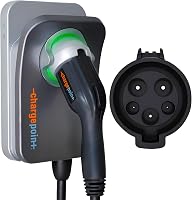
ChargePoint HomeFlex suits drivers who want home charging information and public station search in the same app. ChargePoint also provides 24/7 support and a cold-resistant cable.
Skip this alternative if reusing an existing outlet is central to your plan, since this particular HomeFlex is hardwired. Some functions and troubleshooting steps require Wi-Fi.
Read our ChargePoint Home Flex review if its app features are a deciding factor.
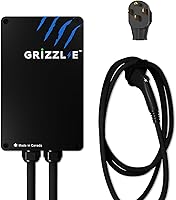
EVIQO suits drivers who return to a dark parking space and want an easy-to-find connector holder. Its side reset button provides a way to restart the charger without opening the housing.
The app supports current adjustment, scheduling and energy tracking, but requires a 2.4 GHz home network. Skip it if you need a plug-in charger or cannot provide that connection for its app features.
EVIQO specifies a dedicated 60A circuit for normal full-output operation. It also describes a separate 50A configuration on a dedicated 70A circuit; leave that configuration to the electrician.
For other connector and installation choices, compare our best home EV chargers.
How should you plan installation and first use?
Set the mounting location and electrical limits before the first charge. Good placement matters every day, while an awkward cable route becomes a repeated chore.
Measure the cable route from your normal parking position
Park as you usually would, including the space needed to open doors. Measure along the actual route to the charging inlet, allowing slack for connection and broad cable loops.
Keep some reach in reserve for small parking changes. Do not plan around stretching the cable tight, and do not use an extension cord to make an unsuitable location work.
Our guide to EV charger extension cords explains why moving the installation is the better solution.
Confirm settings during commissioning
Ask the electrician to confirm the charger setting, circuit protection and any required permits or inspection. Keep a record of the approved current setting so it is not raised later without checking the electrical work.
After installation, connect the app and check that the car starts charging as expected. Set the correct local time and charging window, then confirm that the next scheduled session actually begins.
If the car needs an immediate charge, check both its timer and the charger schedule. Avoid changing several settings at once, since that makes the cause of a missed session harder to identify.
What care and use habits matter most?
Keep the connector clean, cable supported and electrical connection in good condition. Routine care is mainly about preventing damage and spotting changes early.
Return the connector to its holder after charging. Store the cable in loose loops, keeping it clear of sharp edges, garage door tracks and vehicle tires.
Check occasionally for cuts, crushed sections, damaged pins or a loose plug-in connection. Stop use if you notice scorching, a burning smell or visible damage, and arrange professional inspection rather than repeatedly restarting the charger.
Follow Wallbox's cleaning instructions and avoid directing pressure-washer spray at the unit or connector. Outdoor placement still calls for care around dirt, pooled water and cable storage.
Wallbox backs both versions with a 3-year manufacturer warranty. Keep the receipt, model number and installation records together so they are available if you need support.
Which Wallbox Pulsar Plus should you choose?
Choose the 40A Wallbox Pulsar Plus for a suitable existing outlet and regular overnight charging. Move to the 48A version when you're planning hardwiring, your car accepts the extra output and your charging window makes it useful.
Choose ChargePoint if its shared home and public charging app fits your routine. Choose EVIQO if the glowing holster, reset button and energy tracking address your daily needs.
Before ordering, get an installation assessment and confirm the cable route with the car parked in place. Our guide to EV charger installation costs helps you plan the full job.
Frequently asked questions
Is the Wallbox Pulsar Plus a good home EV charger?
Yes, the Wallbox Pulsar Plus is a good fit for drivers who want compact home charging with app scheduling. Choose it when the connector, circuit and cable reach suit your parking space; skip the higher-output model if your car cannot accept the extra power or overnight charging already covers your driving.
What is the difference between the 40A and 48A Pulsar Plus?
The main difference is installation and maximum current: the 40A version plugs into a suitable NEMA 14-50 outlet, while the 48A version is hardwired. The extra current helps only when your vehicle accepts it and your circuit supports it, so compare your car's AC charging limit before choosing.
Can the Wallbox Pulsar Plus be installed outdoors?
Yes, Wallbox rates the Pulsar Plus for outdoor installation with a NEMA Type 4 enclosure and an operating range of -22°F to 122°F. Have an electrician confirm the mounting location and electrical protection, and place the cable where it will avoid standing water, vehicle tires and walking routes.
Does a Tesla need an adapter for the Wallbox Pulsar Plus?
Yes, Tesla vehicles need a compatible adapter for the J1772 Pulsar Plus versions covered here, and Wallbox does not include one. Check your vehicle manual and any adapter you already have before ordering, including its current limit; separate Pulsar Plus versions use a NACS connector.